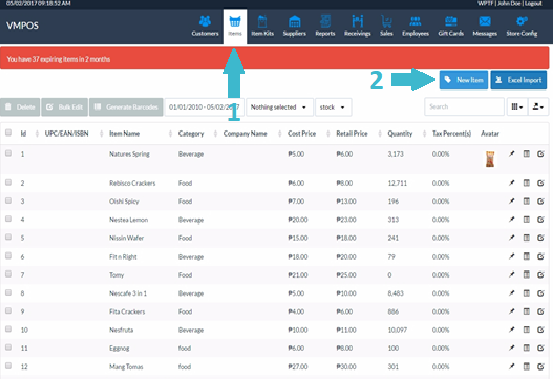
1. Go to the Products tab
2. Click the New Item button. You can also export the product information in JSON, XML, CSV, TXT, SQL, or MS Excel format.
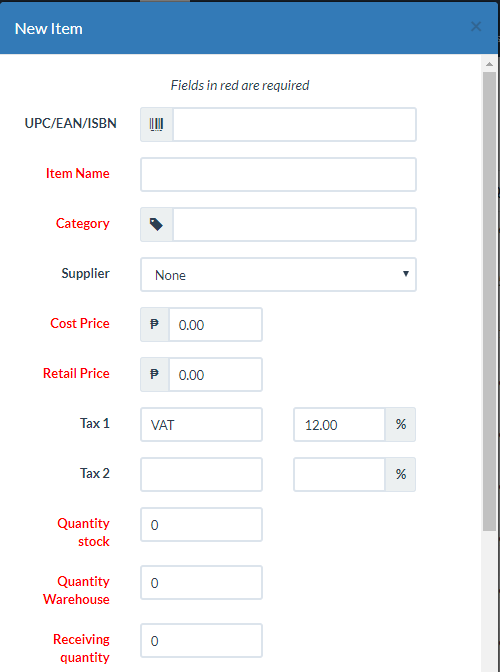
This will launch the New Item modal form. You can now register the information for the new item.
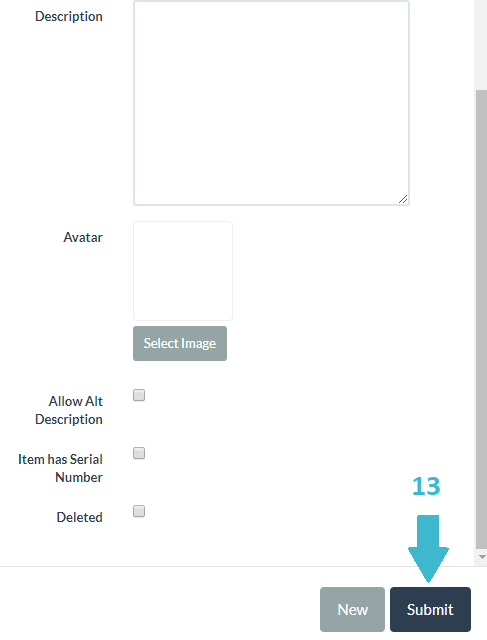
3. Click Submit after completing the registration of the new product.
Fields marked in red are required.