-
-
-
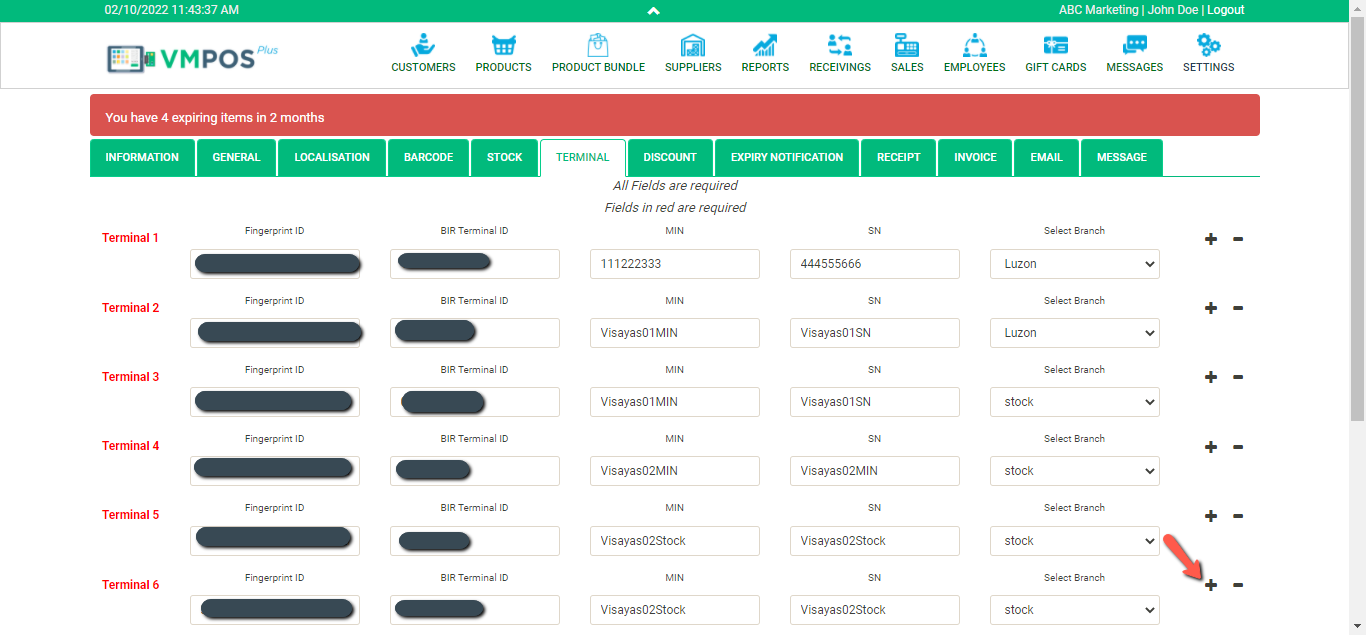
- To add a new terminal ID, upon logging in to your account, go to “settings”.

- Then go to Terminal ID Menu and click the plus sign “+”.
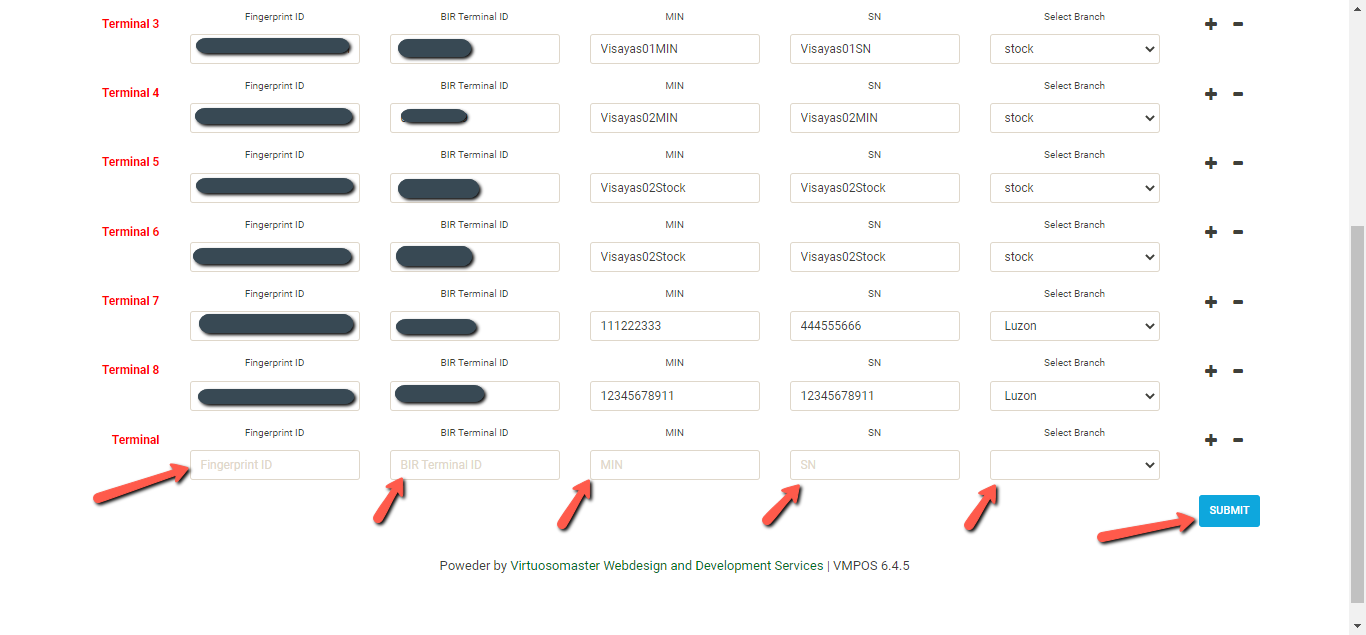
- Fill out the required fields and click “submit”.
- To add a new terminal ID, upon logging in to your account, go to “settings”.
-
-
